Flahr Image Studio
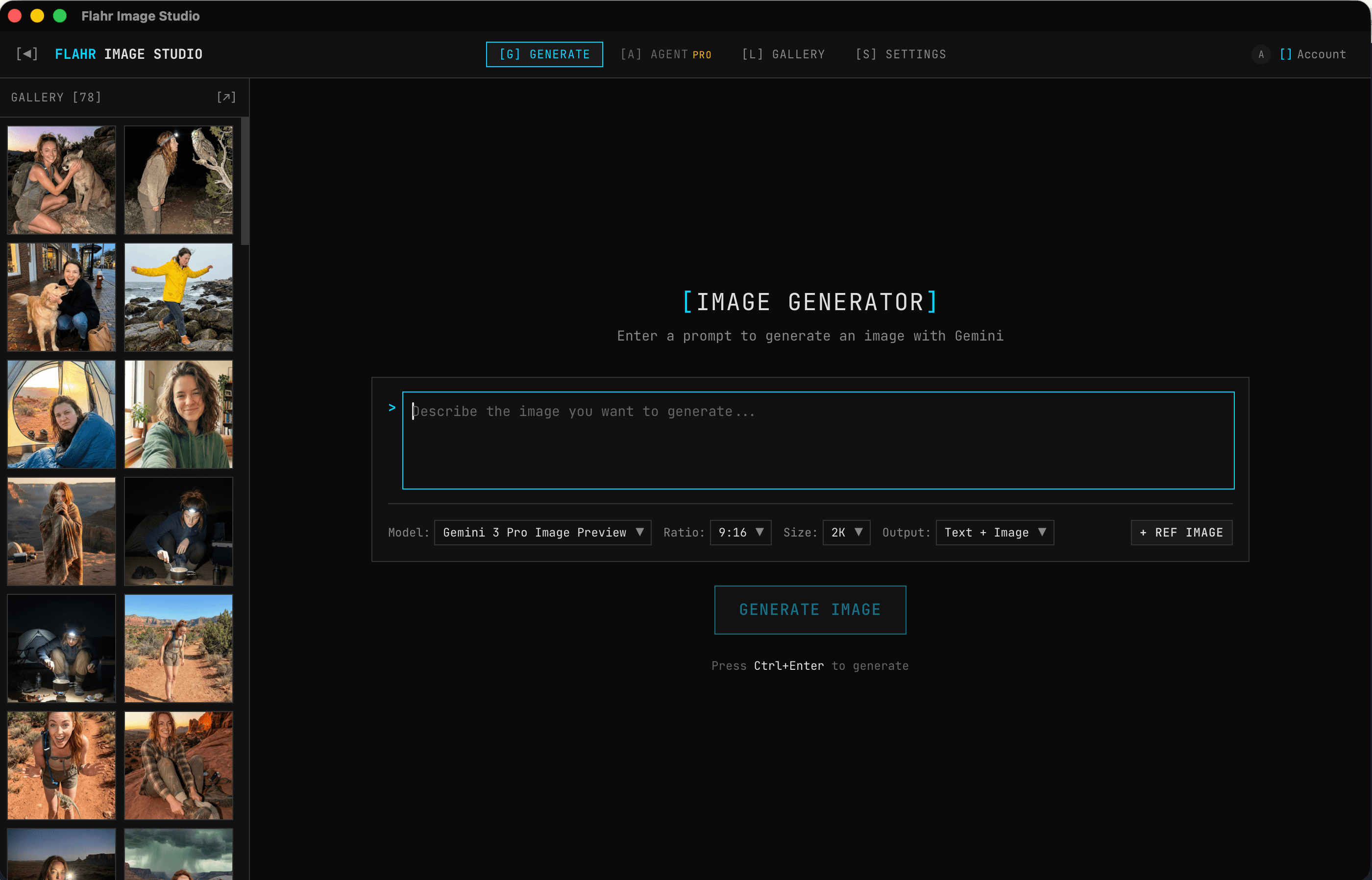
A desktop application for iterative AI image generation. Generate images with Gemini, edit them with multi-turn conversations, and build up version chains. The images coming out of this thing are indistinguishable from reality.
Google AI Studio is a horrible UI for iterative image generation. If I wanted a variation of an image, I could continue the chat, but if I wanted a new one I had to create a new chat. It was laggy as hell. When you're creating many chats just to generate similar images, they all end up with similar names, which makes it impossible to navigate. The whole thing felt bloated for what I was trying to do.
So I built my own UI. I used it as I made it, and made it perfect for me. Generate something, tweak it, fork it, compare versions side by side, and build toward what you actually want. A creative tool designed around iteration, not a chat interface repurposed for image generation.
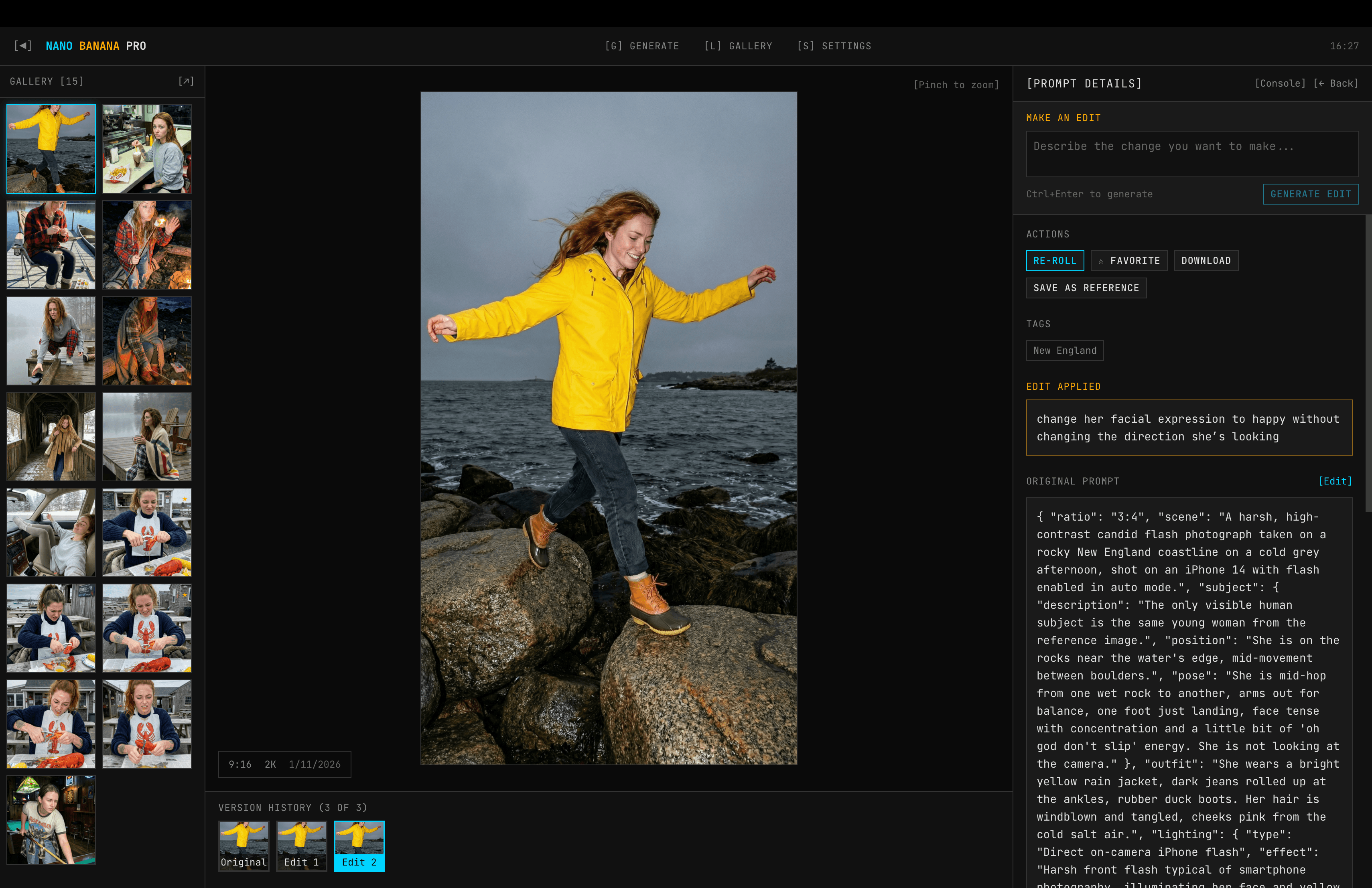
Every image belongs to a chain. The first generation is the root. Edits create new nodes in the chain, each linked to its parent. A filmstrip at the bottom of the image view shows the full evolution — Original, Edit 1, Edit 2 — and you can click any version to compare. The gallery only shows the latest version from each chain, keeping things clean while preserving full history underneath.
This is the key technical insight. When Gemini generates an image, it returns thought signatures — internal state that captures the model's understanding of what it produced. The app stores these signatures in the database. When you request an edit, the app reconstructs a multi-turn conversation: your original prompt, the model's response (with signatures), then your edit instruction. This gives the model context about what it already generated, so “make the sky more purple” actually works instead of producing a completely different image.
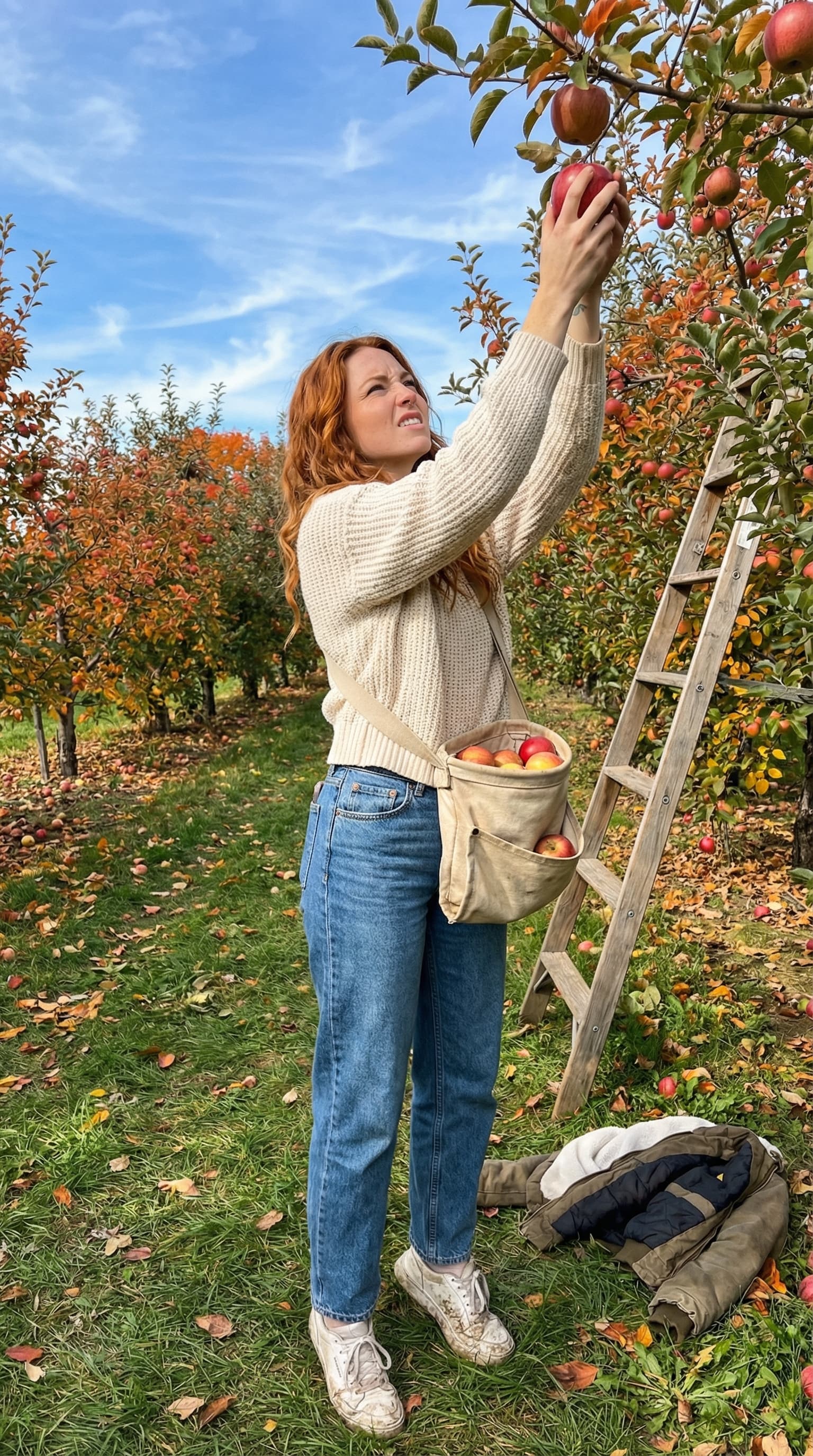
You can upload reference images or save any generation as a reference. Attach a reference to your next generation and the model uses it for style and character consistency. I was genuinely surprised by how well this works — nano-banana-pro's ability to do consistent character generation across multiple images is impressive. You get the same character in different poses, settings, and lighting without carefully re-engineering your prompt each time. The results are indistinguishable from photographs.
View prompt
{
  "ratio": "3:4",
  "scene": "A harsh, high-contrast candid flash photograph taken at
    an apple orchard on a crisp fall afternoon, shot on an iPhone 14
    with flash enabled in auto mode.",
  "subject": {
    "description": "The only visible human subject is the same young
      woman from the reference image.",
    "position": "Standing under an apple tree, reaching up into the
      branches.",
    "pose": "Mid-reach on her tiptoes stretching for an apple just
      out of grasp, one hand on a branch for balance, other arm
      fully extended, fingers straining, face scrunched with effort
      and determination. She is not looking at the camera."
  },
  "outfit": "Chunky knit sweater, high-waisted jeans, white sneakers
    now stained with grass and mud. A canvas picking bag hangs across
    her body, already bulging with apples.",
  "lighting": {
    "type": "Direct on-camera iPhone flash",
    "effect": "Harsh front flash typical of smartphone photography,
      illuminating her face and sweater flatly against the bright
      fall daylight, creating that washed-out amateur flash-in-
      daylight snapshot look."
  },
  "camera_settings": {
    "device": "iPhone 14 main camera, 26mm equivalent focal length",
    "aperture": "f/1.5 but with deep depth of field due to small
      sensor size",
    "focus": "Background remains sharp and legible, not blurred into
      bokeh",
    "flash": "TrueTone flash enabled, slight overexposure on
      subject's face competing with afternoon sun",
    "noise": "Subtle digital noise typical of smartphone photography"
  },
  "setting_details": "Apple tree with red apples hanging from
    branches, a few fallen apples on the ground, wooden orchard
    ladder leaning against a nearby tree, rows of apple trees
    stretching back, grass with fallen leaves, her jacket discarded
    on the ground beside her.",
  "background": {
    "environment": "The background shows the orchard in sharp focus —
      rows of apple trees, fall foliage in reds and oranges, a
      rustic wooden fence in the distance, blue sky with wispy
      clouds.",
    "depth": "Background is sharp and detailed, not blurred."
  },
  "style": "Ultra-realistic iPhone snapshot aesthetic, raw unedited
    look, visible digital noise, slightly blown-out flash competing
    with daylight, true-to-life fall colors, amateur candid
    photograph feel."
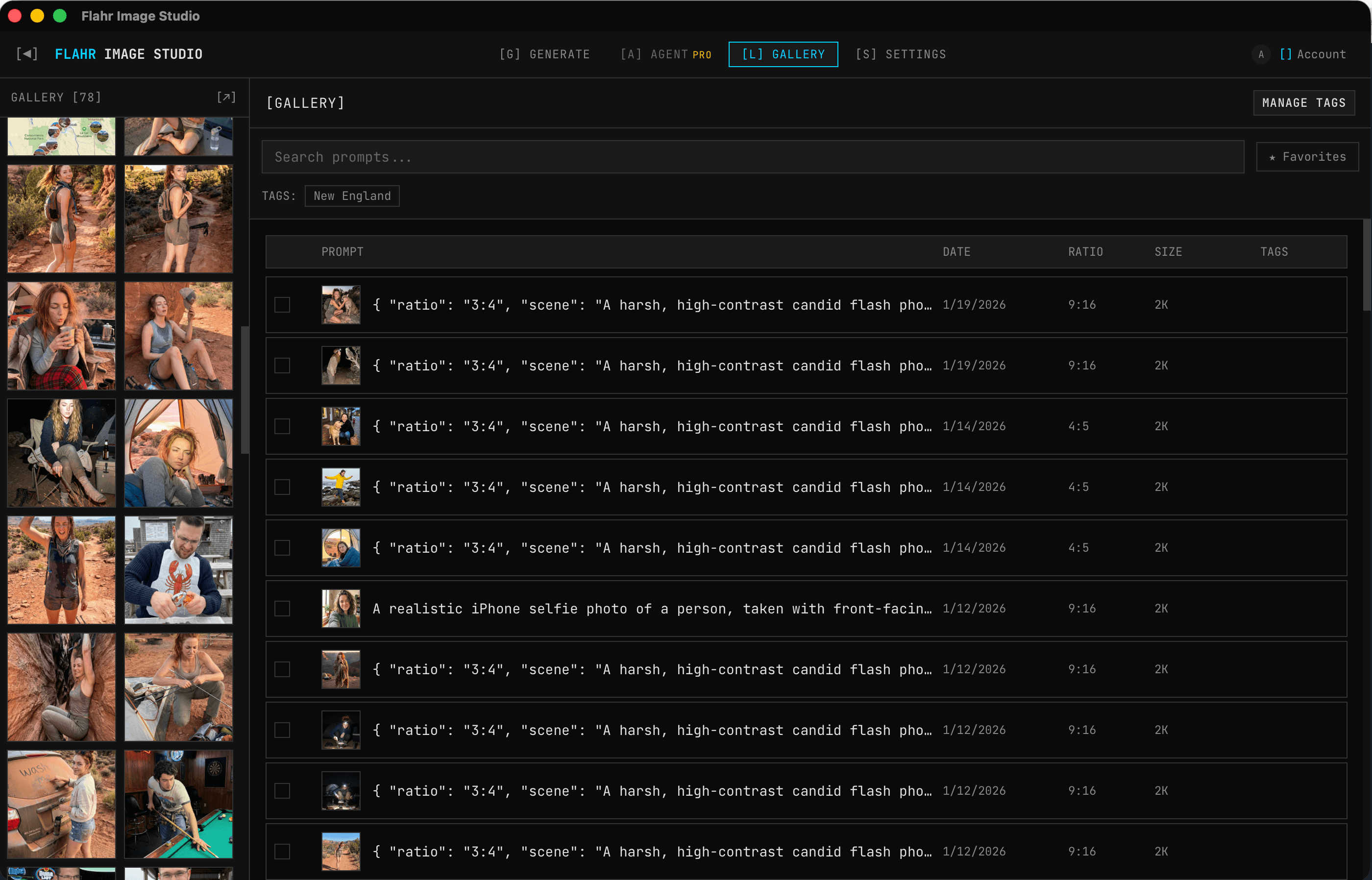
}Images are organized with custom color-coded tags, favorites, and searchable prompts. Multi-select with Ctrl+Click, range selection with Shift+Click, bulk operations. The gallery supports date range filtering and shows the latest version from each chain by default.
┌─────────────────────────────────────────────┐
│              Tauri v2 (Rust)                │
│                                             │
│  ┌──────────────────────────────────────┐   │
│  │  React + Zustand (6 stores)         │   │
│  │  Generator │ Gallery │ Image View   │   │
│  └──────────────────┬───────────────────┘   │
│                     │ IPC (invoke)          │
│  ┌──────────────────▼───────────────────┐   │
│  │  Rust Commands                       │   │
│  │                                      │   │
│  │  ┌────────────┐  ┌────────────────┐  │   │
│  │  │  SQLite    │  │  Filesystem    │  │   │
│  │  │  (metadata,│  │  (images/,     │  │   │
│  │  │   chains,  │  │   references/) │  │   │
│  │  │   tags)    │  │                │  │   │
│  │  └────────────┘  └────────────────┘  │   │
│  │                                      │   │
│  │  ┌────────────────────────────────┐  │   │
│  │  │  Gemini API (generateContent)  │  │   │
│  │  │  + thought signature storage   │  │   │
│  │  └────────────────────────────────┘  │   │
│  └──────────────────────────────────────┘   │
└─────────────────────────────────────────────┘
Everything is local. Images stored on the filesystem, metadata in SQLite, API calls go directly to Gemini with your own API key. No backend server, no cloud storage, no account required. The Rust layer handles all database operations and API communication through Tauri commands, keeping the React frontend purely presentational.
State management uses six Zustand stores — app state, settings, gallery, auth, tags, and reference images — each with clearly scoped responsibilities. The stores communicate through the Tauri IPC bridge, never directly with each other.
I didn't do user research. I used Google AI Studio every day, got frustrated, and built the tool I wanted. Every feature exists because I hit a friction point and solved it. The chain filmstrip exists because I kept losing track of which edit was which. The tag system exists because I had hundreds of generations and no way to find anything. When you're your own user, iteration speed is instant — the feedback loop is just using the app and noticing what's annoying.
Image chains could form complex trees (edit from version 2, branch from version 3). I simplified this to a flat chain with a root ID. Every generation points to its parent and its chain root. The query for “show me this image's history” is just WHERE chain_root_id = ?. Simple, fast, and covers 95% of real usage.
The alternative to thought signatures is sending the full image back to the model with each edit request. That's expensive, slow, and produces worse results because the model is working from pixels, not from its own internal understanding. Storing signatures and reconstructing the multi-turn conversation gives the model memory of what it was trying to produce, which makes edits dramatically more coherent.
I want to add markup-directed editing — the ability to draw on an image and use the drawing to direct an edit. Google has this as a vibe-coded example project, but having it integrated into the chain workflow would be powerful. It's probably one prompt to Opus 4.6 to implement, it's just not a priority at the moment.
I'd also add model-agnostic support. Right now it's tightly coupled to Gemini's API. Abstracting the generation interface would let it work with Stable Diffusion, DALL-E, or any future model without rewriting the chain/editing logic. The real struggle is that there is too much to build and not enough time to build it, now that agentic coding has made everything possible.